Double-booked bays and surprised customers
Calendar entries tied to repair orders — one job, one slot, visible to the whole team
Workshop calendar software
Plan jobs in month or week view, balance technician workload, and keep the front desk and floor aligned — every calendar entry comes from a live repair order.
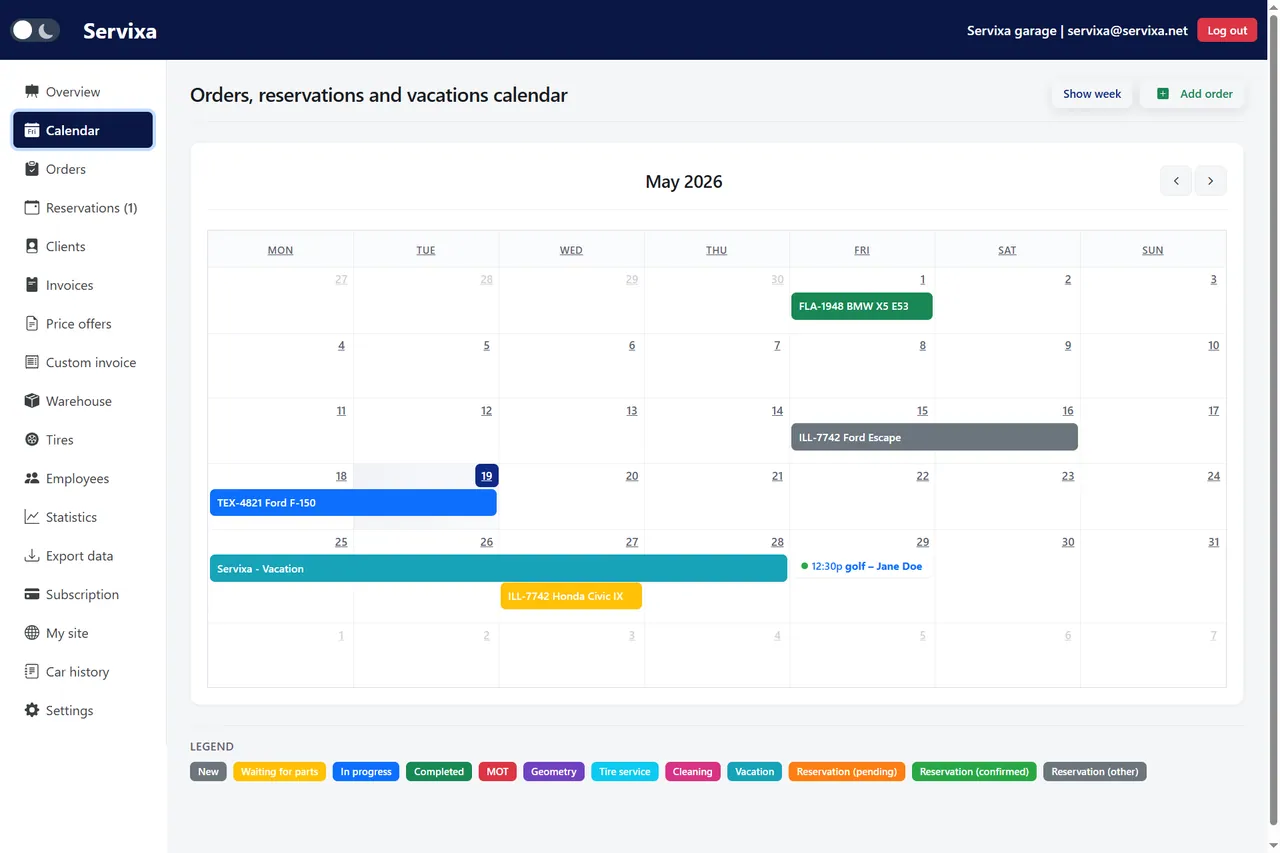
Servixa workshop calendar software connects your schedule to actual jobs — not sticky notes.
Calendar entries tied to repair orders — one job, one slot, visible to the whole team
Month and week layouts show upcoming work so you can staff and order parts proactively
Reservations sync with the same calendar your team uses on the floor
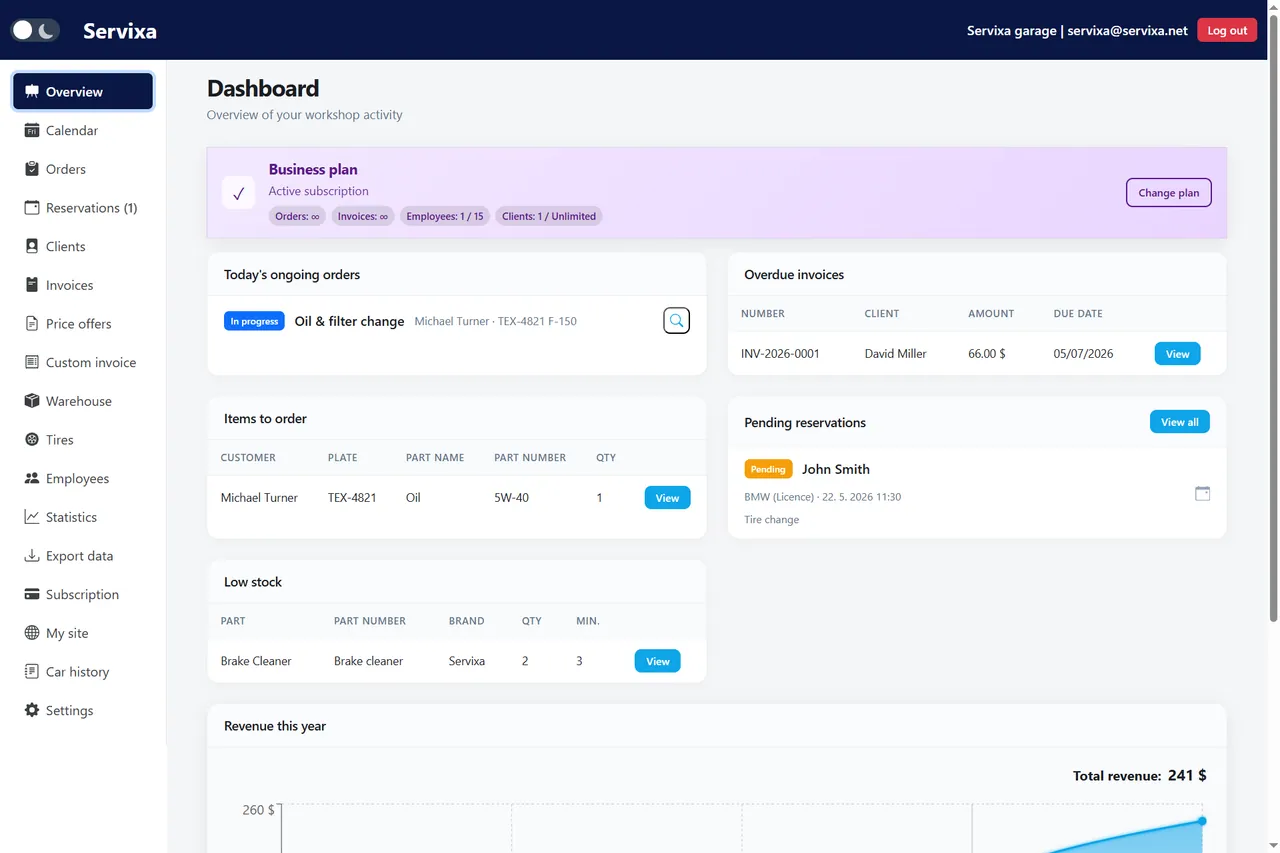
Dashboard calendar mirrors the full module — open jobs and appointments in one place
From appointment to bay assignment without schedule conflicts.
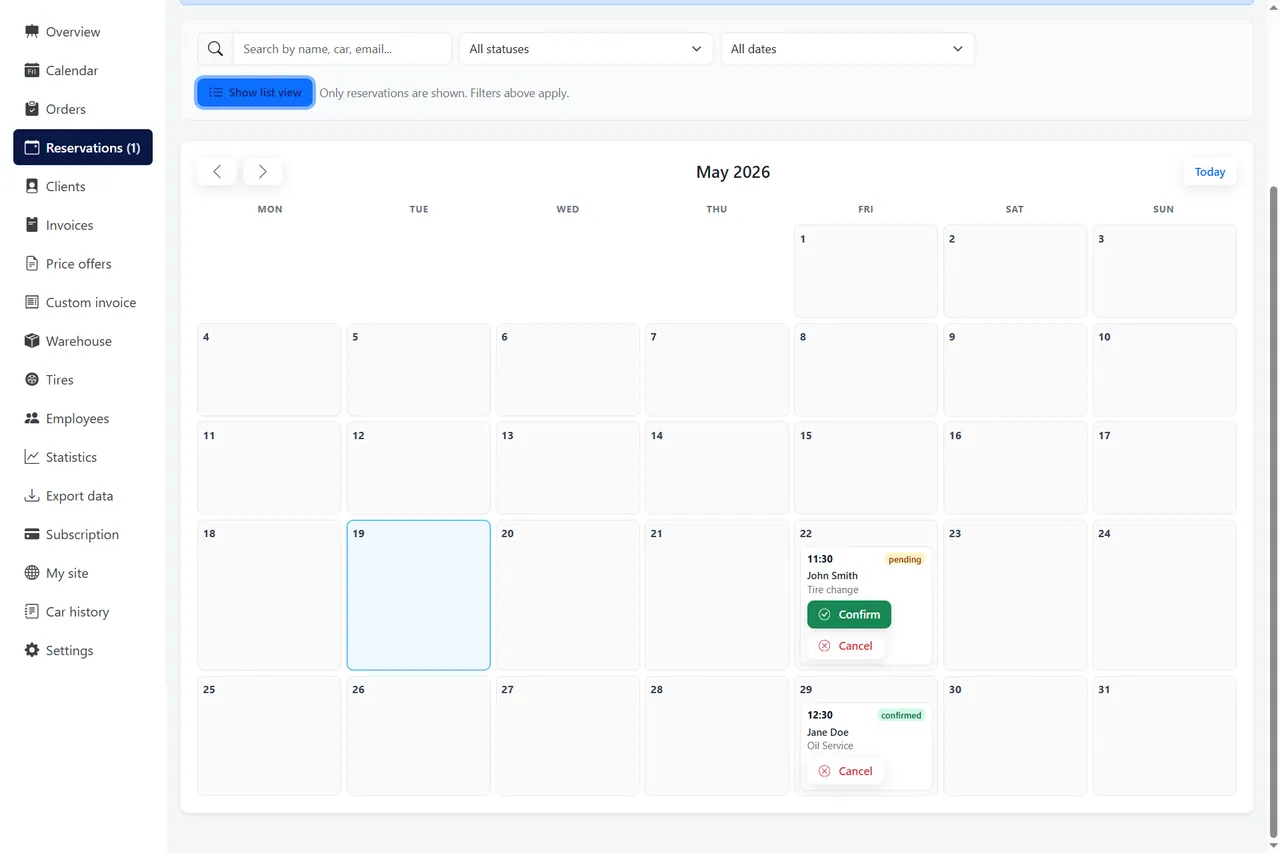
Customer reserves online or the desk creates a reservation with date and service type.
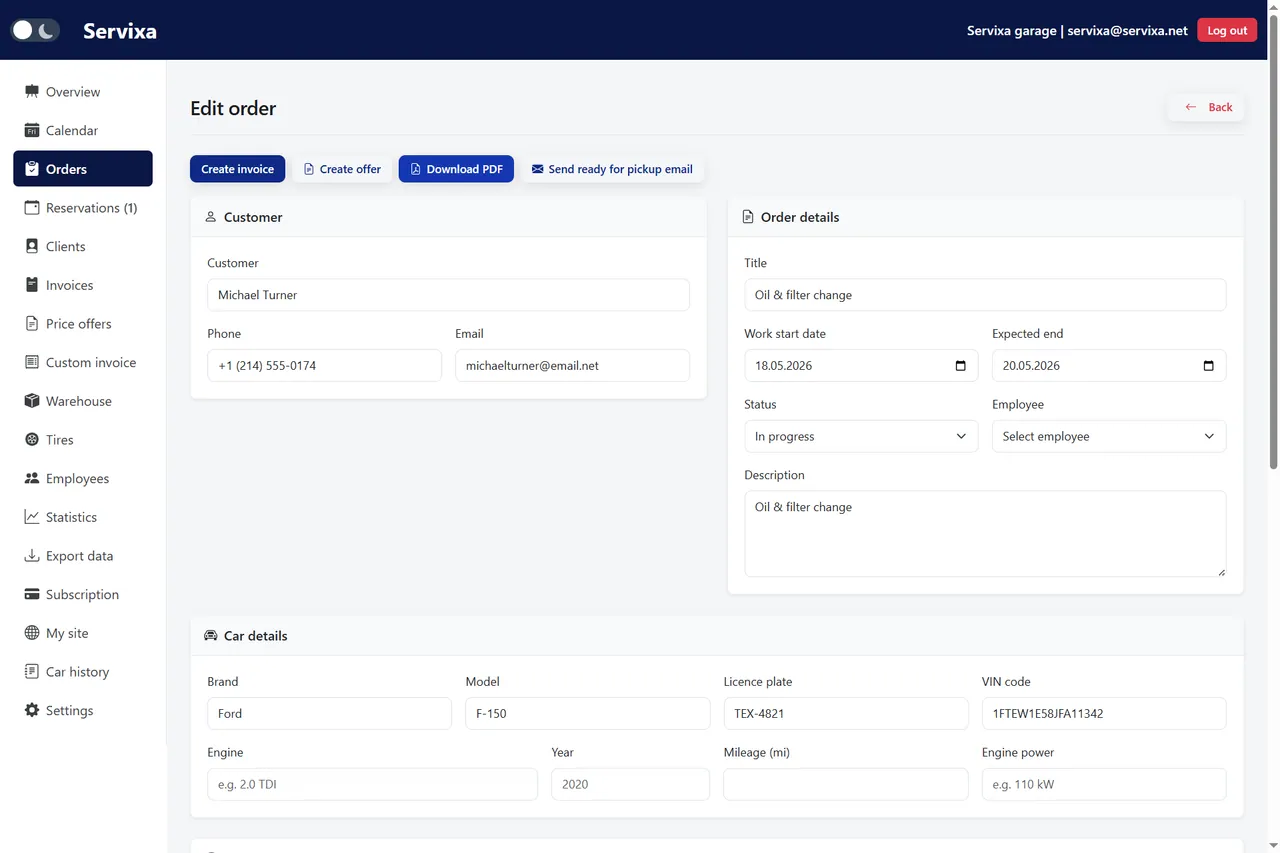
Convert the booking to a job with client, vehicle, and planned start date.
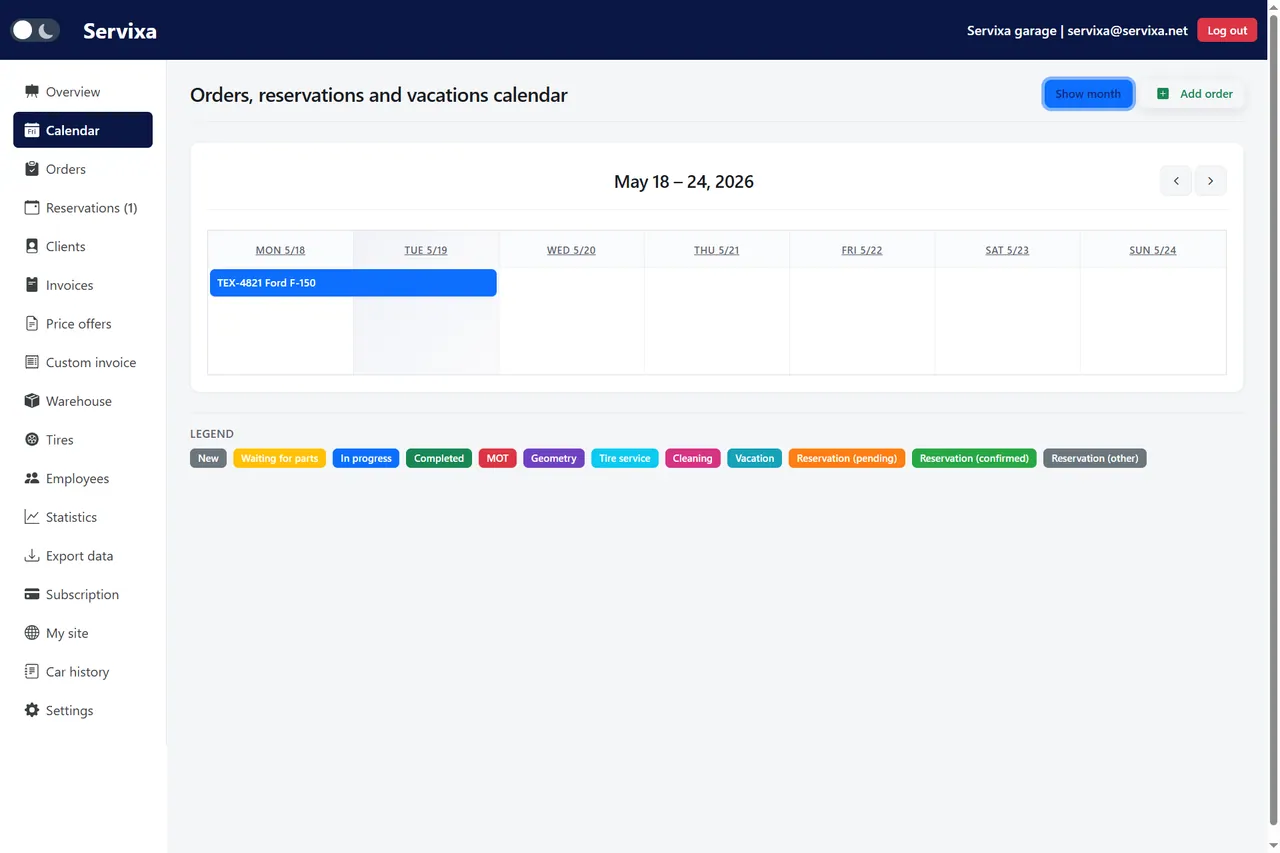
The order appears in month or week view — drag-friendly planning for busy shops.
Technicians update status; the calendar reflects progress through completion.
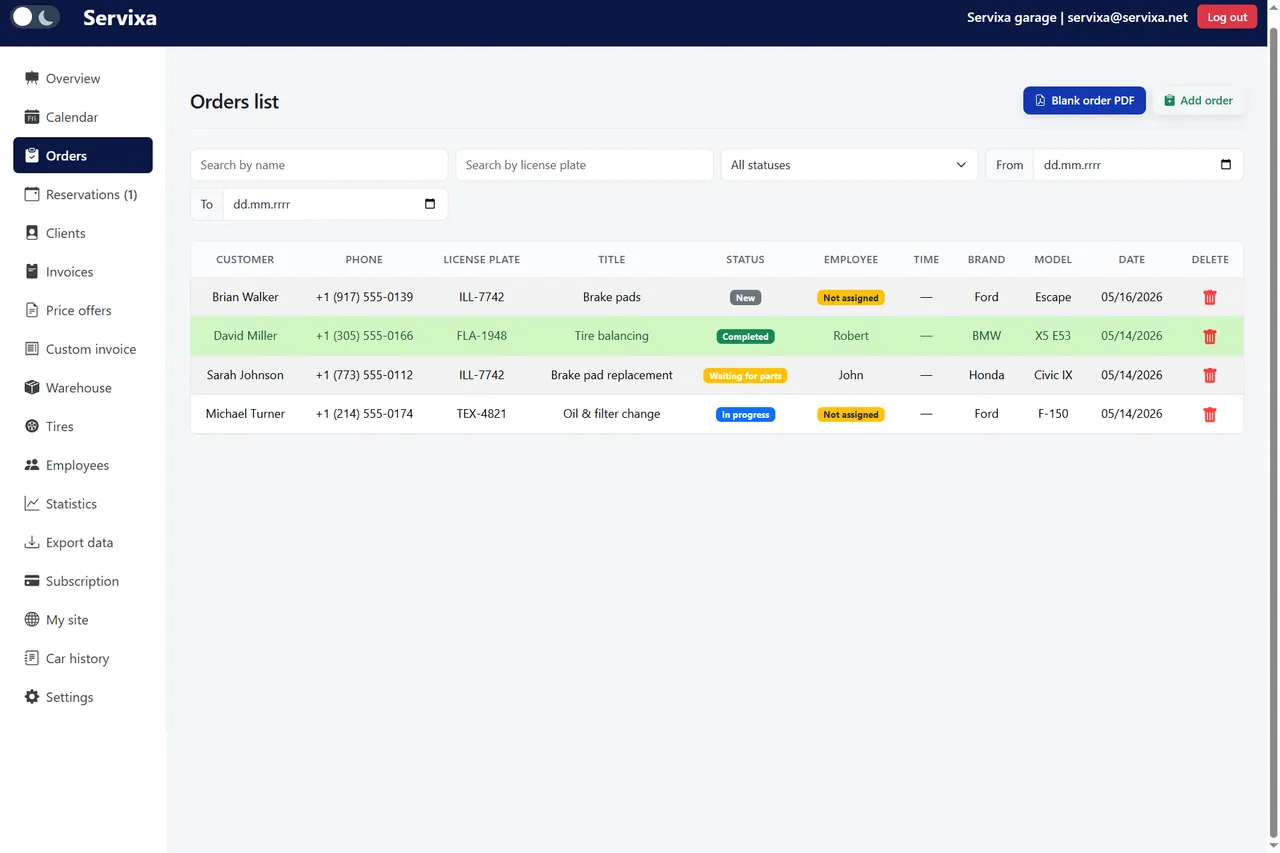
Month view, week view, and dashboard preview together.
A workshop calendar is only useful if it reflects what is actually happening on the floor. When scheduling lives on a whiteboard while jobs live in a different system, conflicts are inevitable. Workshop calendar software from Servixa ties every entry to a real repair order — so what you plan is what your team executes.
Generic calendar apps handle meetings; they were not built for bays, lift time, and parts lead times. Workshop calendar software understands that a scheduled block represents vehicle work with a client expecting pickup by a certain hour. When the calendar entry is the repair order itself, updates in the bay automatically reflect on the schedule.
Servixa calendar module pulls from orders with planned dates. Change the date on the order and the calendar moves. Complete the job and the entry reflects done status. Therefore, the front desk answers customer calls with current information instead of walking the shop to find a car.
Month view suits long-range planning — seeing seasonal tire peaks or fleet maintenance windows before they arrive. Week view helps service managers assign technicians day by day. Both layouts share the same underlying data, so you never maintain two schedules.
Independent shops run lean. You cannot afford to promise Thursday pickup when Wednesday's jobs already fill every bay until closing. Workshop calendar software makes overload visible before you commit. Scan the week, count open slots, and book accordingly — or suggest alternative dates while the customer is still on the phone.
Employee assignments link mechanics to orders for calendar visibility and statistics. When a technician takes vacation — tracked in the employees module — you see reduced capacity on the schedule and avoid assigning their jobs to thin air. That coordination matters especially when specialists handle diagnostics or certain brands.
Dashboard integration puts today's calendar on the home screen after login. Owners see open orders, upcoming reservations, and revenue metrics without opening five modules. For a deeper look at how scheduling fits the platform, browse the features page and compare plans on pricing.
Customers increasingly expect to book service online. The problem arises when web appointments land in an inbox while the shop schedule lives elsewhere. Servixa reservations module feeds the same calendar your team uses internally. A customer booking appears alongside walk-in jobs — one source of truth.
Configure opening hours, services, and available slots in reservation settings. Share your public booking link from your car repair shop page or embed it on your website. When the appointment converts to a repair order, client and vehicle fields prefill from the request. Consequently, intake at arrival takes minutes, not a repeated interview.
During seasonal peaks, limit daily booking capacity to match realistic throughput. Customers see available times only when you can actually perform the work — protecting both satisfaction and shop sanity. Learn more about car repair shop booking software if online appointments are a primary growth channel for your business.
Miscommunication between service writers and technicians causes most scheduling friction. The writer promises a time the floor cannot hit. The mechanic finishes early but the customer was told tomorrow. A shared workshop calendar reduces those gaps because both sides reference the same job list with the same dates and statuses.
Cloud access means the calendar works on a office desktop, a tablet in the waiting room, or a phone when the owner checks Sunday night. No VPN, no local server — just a browser and your login. Updates appear in real time for everyone with access.
Role-based permissions let owners see everything while employees see orders assigned to them or modules relevant to their role. That balance keeps scheduling transparent without exposing billing details every technician does not need.
Switching from a whiteboard does not require a long IT project. Create repair orders with planned dates for jobs already booked, and the calendar populates automatically. Run the digital schedule parallel to your old method for a few days if needed — most teams abandon the whiteboard once they see conflicts disappear.
Servixa offers a 2-month free trial with calendar, orders, reservations, and dashboard included. Sign up without a credit card and load your next week's appointments. Measure how many phone calls about status you eliminate when the schedule is always current.
Workshop calendar software is foundational — not an add-on. It connects booking, execution, and customer communication in one rhythm. When you are ready, start your trial and explore how scheduling integrates with invoicing, warehouse, and analytics across the platform.
Compare pricing plans, browse the full feature list, read about Servixa, or contact our team for help choosing the right setup.
Every slot tied to a real job — from booking to completion.
Begin your 2-month trial