One workspace
Your workshop, finally in one place
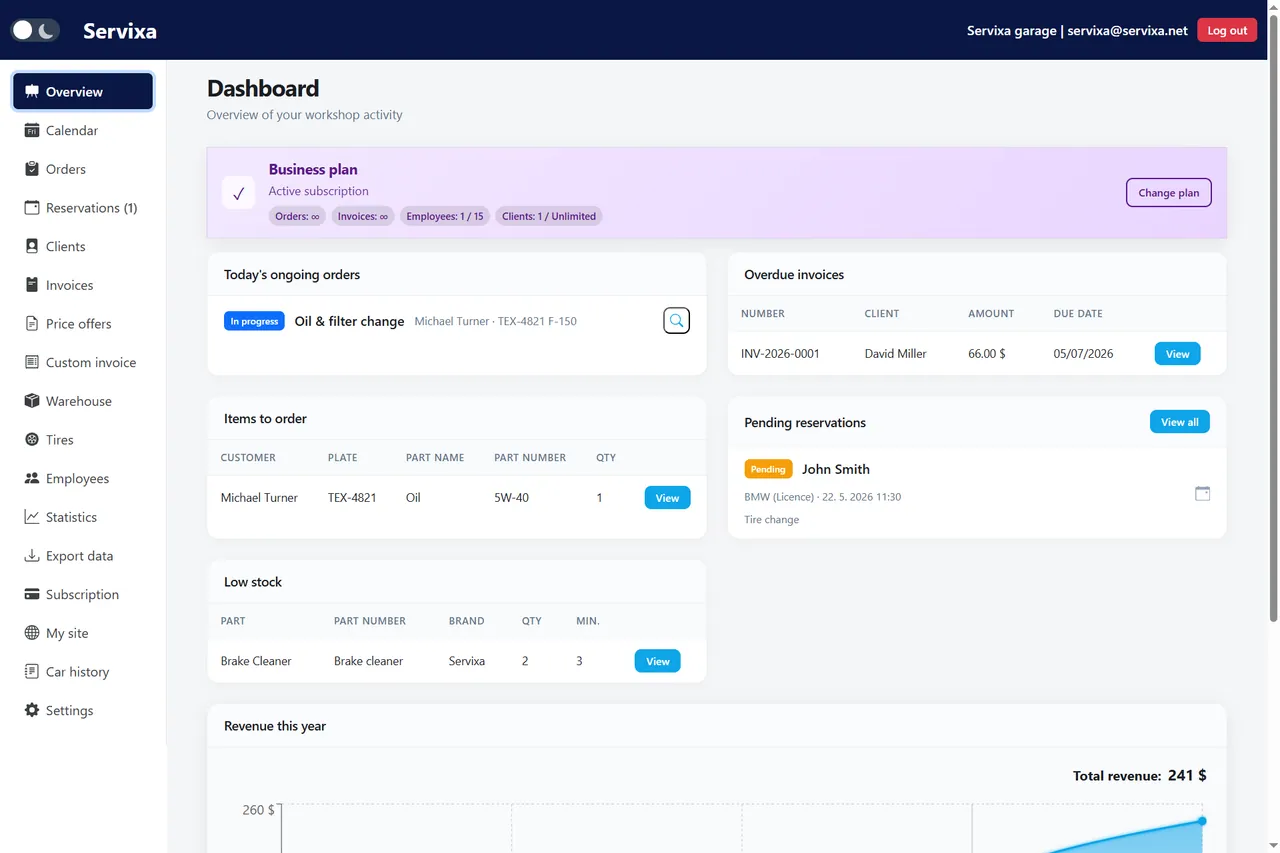
Stop switching between spreadsheets, paper job cards, and disconnected tools. Servixa is the command center for repairs, customers, and cash flow.
- Orders, parts, labor & photos
- Clients, vehicles & history
- Invoices in EUR, USD, GBP + more

Product
Built for how workshops actually work
Four pillars that cover your day — explore everything else on Features.
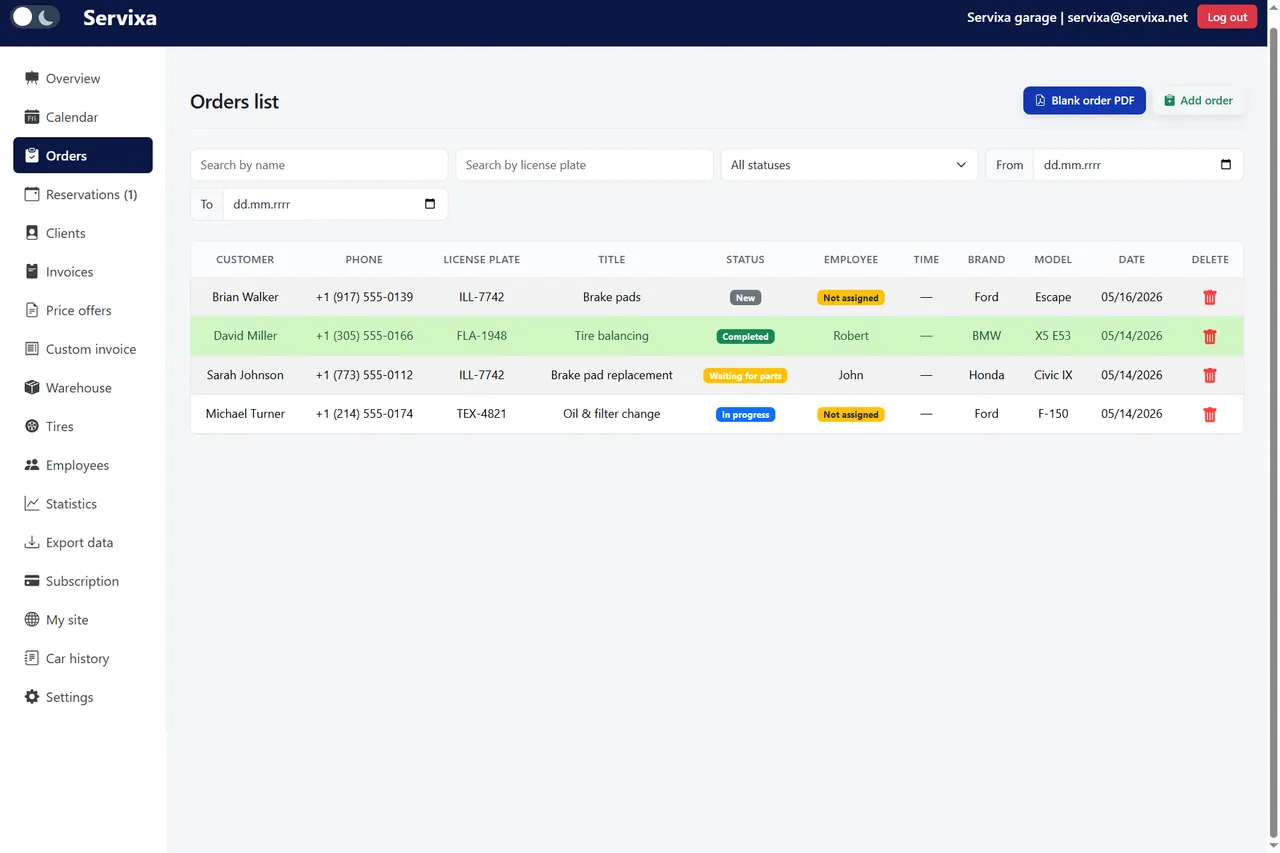

Orders & workflow

Calendar & bookings

Invoices & offers
Who it's for
Garages and tire shops of every size
Ready to run a modern workshop?
Try Servixa free for 14 days. Set up your first order in minutes.
Begin your 14-day trialGarage and auto repair shop software built for everyday workshop life
Servixa is workshop management software that brings repair orders, customers, vehicles, scheduling, inventory, and invoicing into one connected system. Instead of juggling paper job cards, spreadsheets, and messaging apps, your front desk and technicians work from the same up-to-date records — from the first phone call to the final paid invoice. It is built for independent garages, tire shops, and multi-bay service centers that want a faster, more organized way to run the day.
Key terms, defined
Before diving in, here are the core concepts. Each definition keeps the language plain so the role of every module is clear.
- Workshop management software
- A single platform that runs a vehicle workshop. It connects repair orders, customer and vehicle records, scheduling, parts inventory, and invoicing. As a result, staff stop copying the same data between separate tools.
- Repair order
- A single job for one vehicle. It holds the customer, the car, the labor and parts used, photos, and a status. For example, an oil change and a brake check on the same car can live on one repair order.
- Tire hotel (tire storage)
- A service where a shop stores a customer's seasonal wheels between swaps. Servixa labels each set, links it to the vehicle, and tracks its storage slot, so the right tires are found in seconds.
Manage repair orders from intake to handover
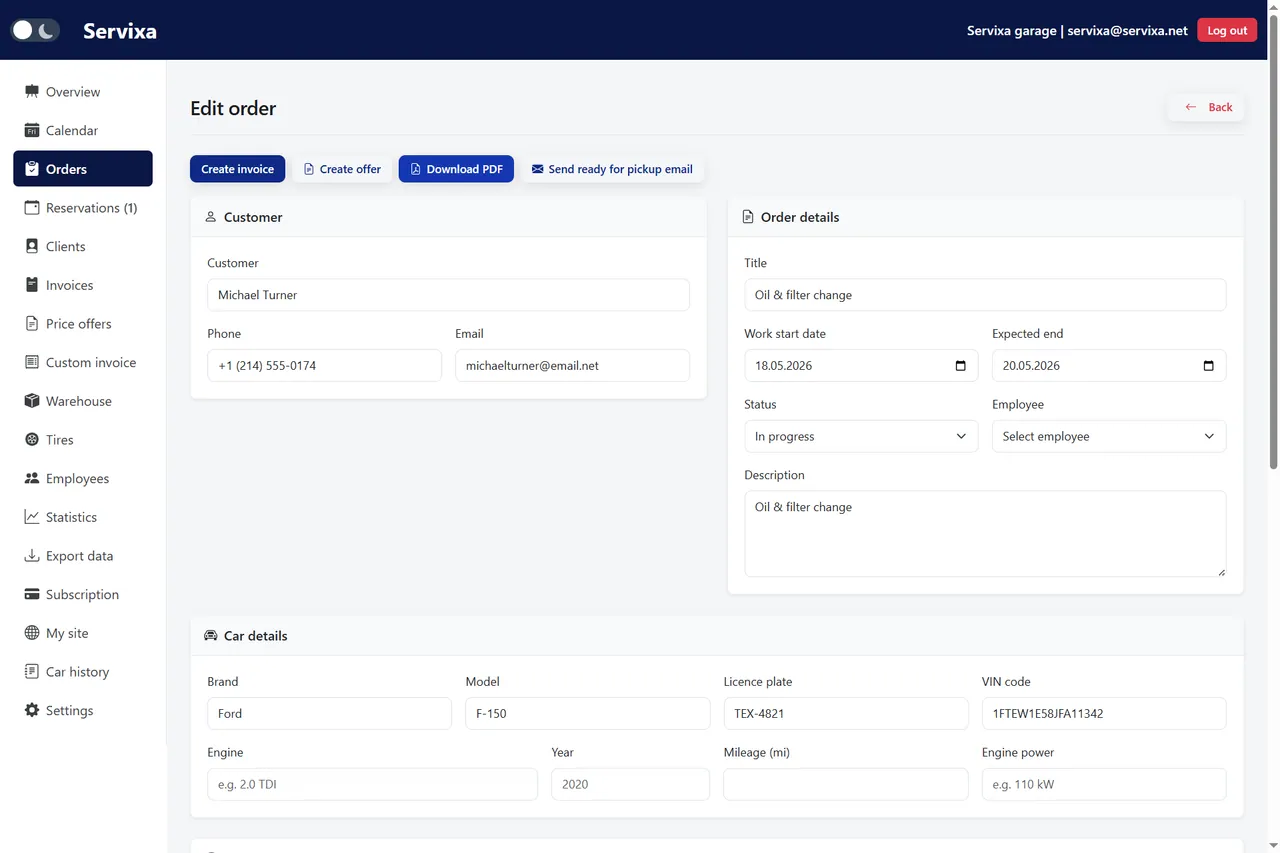
Every job in Servixa starts as a repair order linked to a customer and a vehicle. Add labor lines, parts, photos, and notes, assign a technician, and move the order through clear statuses so the whole shop knows what is waiting, in progress, or ready for pickup. When the work is done, you turn the order into a professional PDF — a job card for the ramp or a branded invoice for the customer — without retyping a single line. That continuity is what keeps a busy workshop from losing track of cars, parts, and money.
Keep customers, vehicles, and history in one place
Store contacts, company accounts, and every vehicle a client owns, complete with VIN, license plate, mileage, and full service history. Before a car even reaches the bay, your advisors can see what was done last time, which parts were fitted, and what is due next. That visibility builds trust, speeds up warranty and follow-up work, and makes it natural to recommend preventive maintenance instead of waiting for a breakdown.
Plan bays and let customers book online
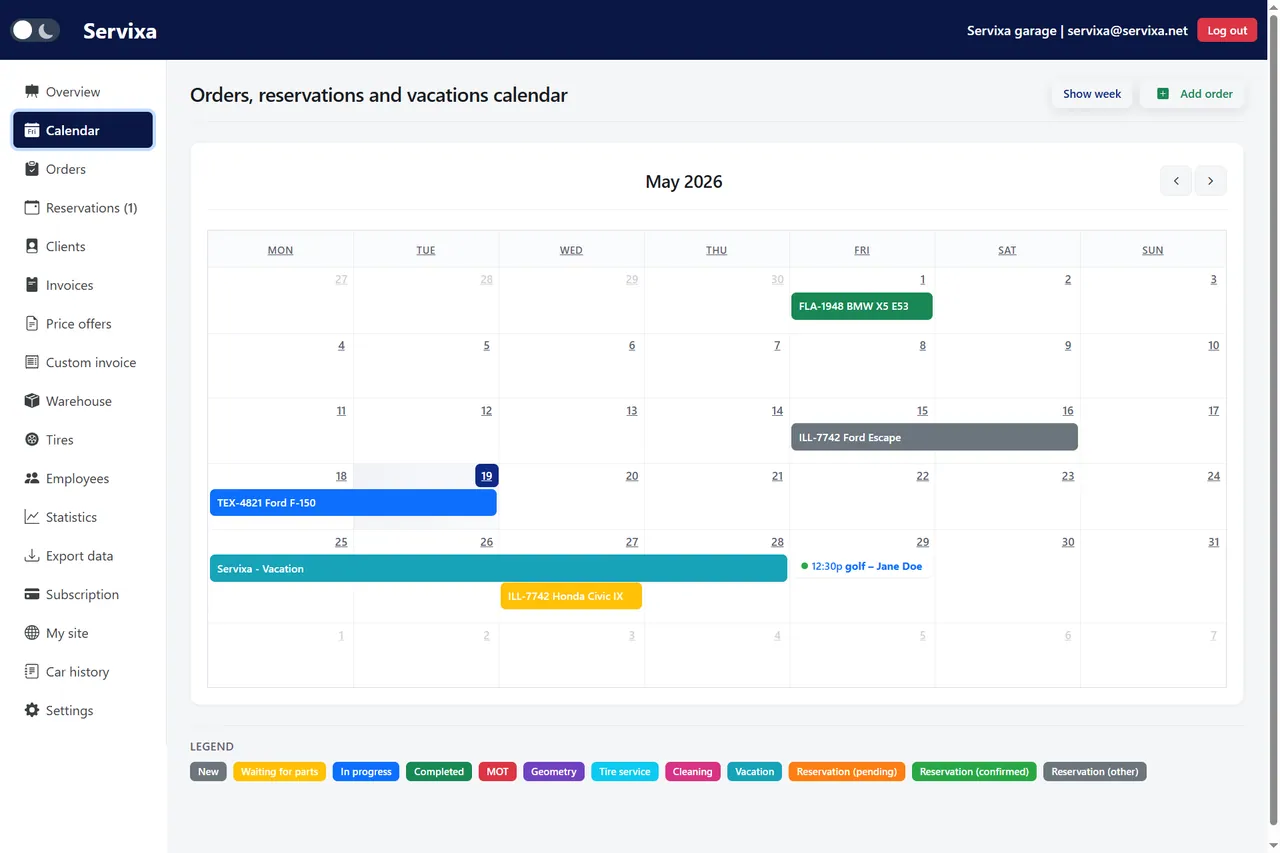
The calendar gives you month and week views of every technician and bay, so you can balance the workload and avoid double-booking. Publish a public garage page with your services and opening hours, and customers can request oil changes, tire swaps, or inspections themselves. Those reservations flow straight into the same schedule your team uses on the shop floor, so online bookings never live in a separate inbox.
Track parts, tire storage, and stock levels
Manage warehouse stock with low-quantity alerts and see which parts have been pulled into active jobs. Tire shops can label stored sets, separate summer and winter wheels, and link each set to a vehicle so the right tires are found in seconds when swap season arrives. Tire hotels and mechanical repairs share the same platform, which means one source of truth for inventory instead of scattered notebooks.
Invoice, get paid, and understand your numbers
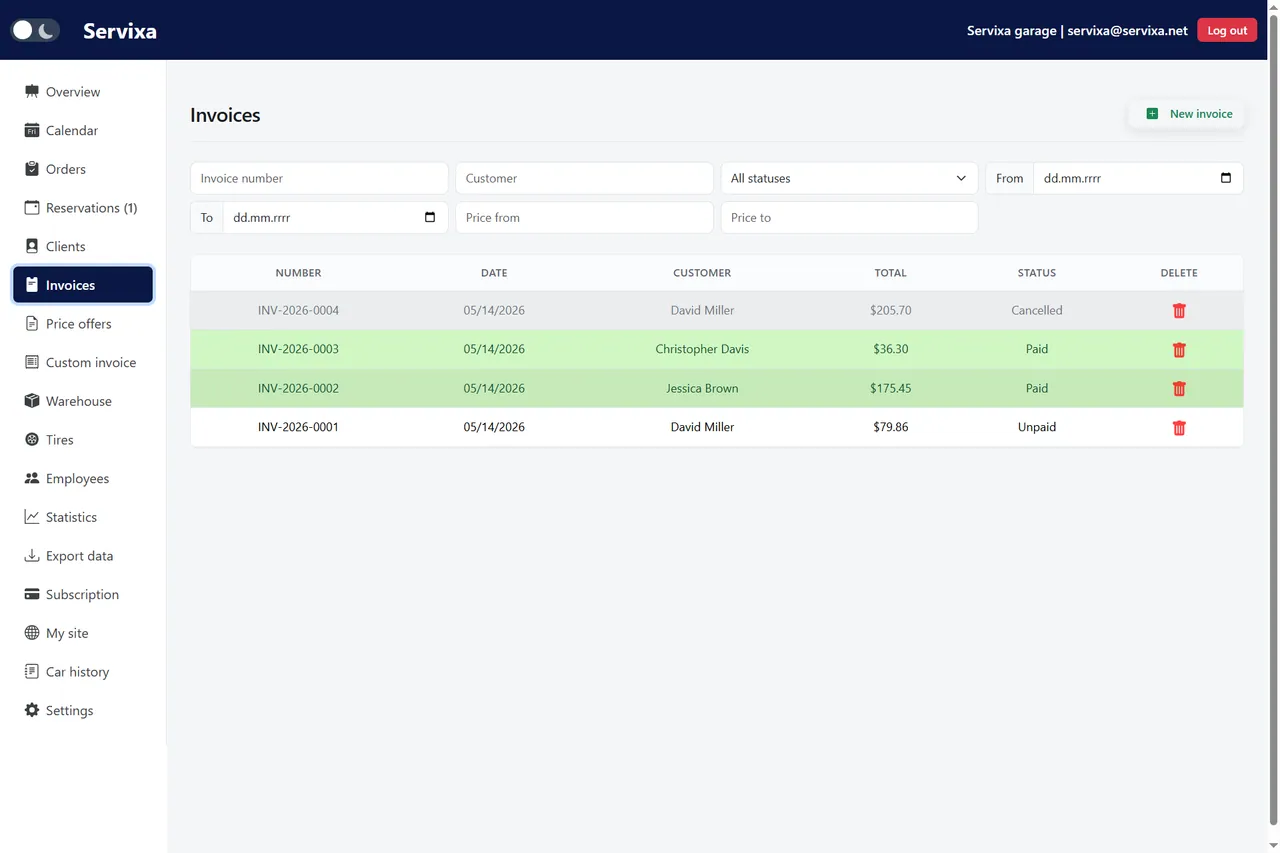
Issue clean PDF invoices and offers in EUR, USD, GBP, CAD, AUD, and more, with custom templates, footer notes, and optional payment details. Servixa keeps invoice numbering consistent and ties each document back to the order it came from. Dashboards show revenue trends, order volume, the car brands you service most, and employee output, so decisions are based on real data rather than gut feeling — and accounting gets a clean export when it needs one.
Start in minutes, with no risk
You can create an account and set up your first repair order within minutes. Servixa is GDPR-ready, runs in your browser on any device, and comes with a 14-day free trial that needs no credit card. Explore everything on the features page, compare plans on pricing, or contact us if you want help matching Servixa to the size of your workshop.
Key takeaways
- One connected system: orders, customers, vehicles, scheduling, inventory, and invoicing share the same records, so data is entered once.
- Orders become invoices: finished repair orders convert to branded PDF invoices without retyping line items.
- Customers book themselves: a public garage page accepts online reservations that land directly on your calendar.
- Inventory stays accurate: low-stock alerts and tire storage tracking prevent surprises on the shop floor.
- Try it risk-free: start a 14-day free trial with no credit card, then compare plans when you are ready.
References & further reading
Servixa is built on recognized standards for data protection, vehicle identification, and web payments. The primary sources below explain the technical foundations referenced across the product.
- Data protection: General Data Protection Regulation (GDPR), the EU regulation that shapes how Servixa handles customer data.
- Vehicle identification: ISO 3779 (VIN standard), the format Servixa uses for storing vehicle identification numbers.
- Structured data: Schema.org SoftwareApplication, the vocabulary describing this product to search engines and AI.
- Payments: Stripe documentation, the provider powering Servixa subscription billing.
- Learn more about us on the About Servixa page, or review our privacy policy and terms.